Forty clips in your camera roll. Zero posted this week.
Why does editing it take all evening?
TikTok · Reels · ShortsIt doesn’t have to. Pick your takes and say what you want. Clipbase keeps your best lines, cuts the ums and long pauses, and adds captions and titles. A finished video in a few minutes.
No watermark, even on the free trial.
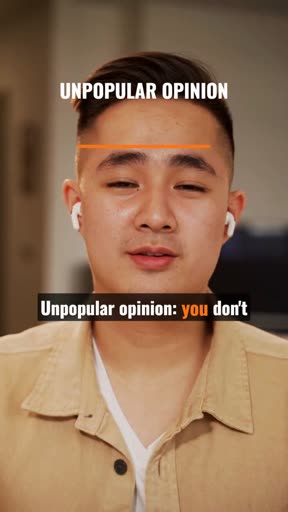
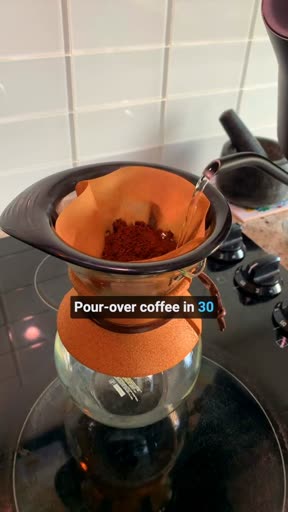
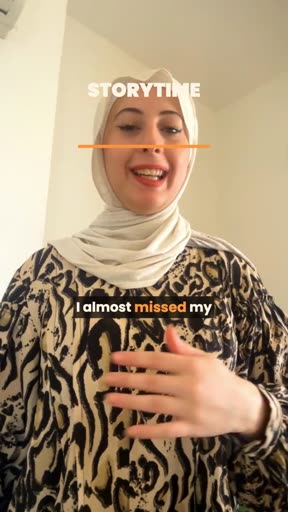
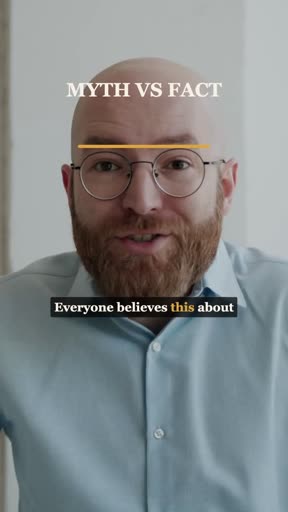
8 formats, made from stock clips
The problem
Filming takes two minutes. Editing takes the evening.
You film a few takes, then scrub through all of them, cut the pauses and type the captions. Most videos never get that far.
Watching every take againClipbase listens to all of them and keeps the lines where you sound like yourself.
Picked by ClipbaseCutting the ums and long pausesCut by word and by sentence. Every cut stays editable.
Cut by ClipbaseTyping captionsMade from your speech, word by word, in a style you choose.
Captioned by ClipbaseLearning an editing appSay what to change in your own words, or fix it by hand in the editor.
Edited by asking- Deciding what to say
Your idea, your face, your voice.
Yours
It keeps your best take and cuts the rest. Stumbled? Film it again. Clipbase listens to every take and keeps only the lines that sound like you.
How long it takesSee the plan before it happens
Check what Clipbase is about to do. Change a setting, or just tap Create.
A few minutes, not an evening
About 80 seconds of clips takes around 3 minutes. Once your clips are uploaded you can leave; the video waits for you in Home.
Like how someone edits? Make yours look like that. Add a video whose editing you like. Clipbase reads its pace, captions and music, then cuts your clips the same way.
How matching worksIt copies the editing, never the video
Clipbase reads how the reference is cut, then edits your own clips that way. The other person’s video stays theirs.
Or start from a trend
8 formats people already watch, ready for your clips.
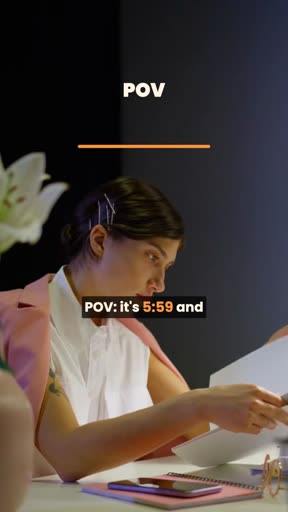
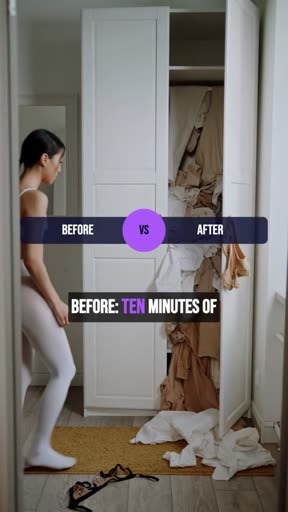
Don’t like something? Just say it. Type “make the hook faster” and watch it happen. Changed your mind? One tap undoes it.
In every planOr fix it by hand
Every video opens in a full editor. Clips, audio, text, graphics, transitions and style are yours to change.
Changing a video is free
Edit it, change the captions or music, export it again. None of that uses a new video.
Every word on screen, your voice up front. Captions are made from your speech, word by word. Music sits under your voice, and noise comes out from under it.
0:110:140:190:230:160:130:180:17Made with Clipbase from stock clips, one trending format each
Captions in a style you pick
Auto matches the style of the video, or choose your own. Every caption stays editable.
Clean up voice
Wind, traffic and room hum taken out from under your voice.
Made for the apps you post to, finished on the phone you film with. Length, layout and safe zones are set for where the video goes.
Shaped for each feed
Vertical, square or landscape, with room left for each app’s buttons.
Exported on your iPhone
Rendered on your phone, so there is no queue and nothing to download. No watermark.
Pricing
Pay for the videos you make
An editor charges $20–80 for one short video. Creator gets you 12 a month for $14.99. Re‑exports are free.
New accounts get 7 days free in the app with 5 videos. Pick a plan after that and its first week is free too. Then $14.99 a month through the App Store, until you cancel in Settings. Creator: up to 5 min of clips per video.
What every plan includes
Plans differ in videos a month, how long your clips can be, and how many AI edits you get.
- Auto-cut of the best takes
- Pauses and ums removed
- Word-by-word captions
- Edit by asking
- Match a reference video
- 8 trending formats
- Music under your voice
- Titles and labels
- Clean up voice
- Vertical, square and landscape
- Full-quality export on iPhone
- No watermark
- Free re-edits and re-exports
- Projects kept after a plan ends
- Delete your data any time
FAQ
Questions people ask
The app, your clips and billing.
What is Clipbase?
An iPhone app that edits your videos for you. Pick two or three clips, say in one sentence what you want, and Clipbase picks the best takes, cuts the pauses and adds captions, music and titles. The result opens in a full editor, so you can change anything.
I’m awkward on camera. Will it still look good?
Film more takes than you need. Clipbase keeps the lines where you sound like yourself and drops the stumbles, so the video shows your best 30 seconds, not your worst.
Will it look like every other AI video?
Not unless you want it to. Start from a reference video you like, pick a caption style, or tell it what to change. Every cut, caption and title stays editable.
What if I don’t like the result?
Say what to change in the AI tab, like “make the hook faster”, or fix it by hand in the editor. Changing a video and exporting it again never uses a new one.
How long does it take?
A few minutes. About 80 seconds of clips takes around 3 minutes. Keep Clipbase open until your clips are uploaded; after that you can leave, and the video waits for you in Home.
How does matching a reference work?
When you create a video, tap “Match a reference video” and add one whose editing you like. Clipbase reads how it is cut, the pace, the captions, the music and the look, and edits your clips the same way. It copies the editing, never the other person’s video.
What happens to my clips?
Clips are uploaded so Clipbase can listen to the speech and look at the takes. Your videos are yours: you can delete a project, or your whole account with everything in it, from inside the app.
Is there an Android or web version?
Not yet. Clipbase is iPhone‑first: the final video renders on your phone, which keeps it fast and the price per video low. Questions? Our Support page says how to reach us, and a person answers.
Your next video is already on your phone
Try it free for 7 days. Five videos, no watermark, cancel any time.
Try free for 7 days